• Proxy
    Dynamic Residential
    Support rotating proxy, stable up to 3 hours
    Mobile Proxy
    Proxies Updated everyday, real 3G/4G/5G network
  • Web Scraping API
    Web Scraping API
    Fast, reliable data extraction
    3-Mode Data Capture
    Crawl/Scrape/Search - Scalable Data Solutions
    Web Scraper API
    Fast & Flexible Web Data APIs
  • Access Method
    API documentation
    Channel instructions
    Time-limit instructions
    Hi-concurrency instructions
     
    Resources for learning
    Computer instructions
    Browser instructions
    Mobile instructions
    City code list
    Country code list
    IP Locations Worldwide
    Proxy generator demo
    FAQ
     
    Company
    About
    Blog
     
    Download
    Android App
    Chrome Extension
  • Pricing
    Traffic Packages
    Flexible plans for every need
    USA channels Prices
    US Residential Proxies: Auto-Rotating
  • Sign Up
Proxy
Dynamic Residential
Support rotating proxy, stable up to 3 hours
Mobile Proxy
Proxies Updated everyday, real 3G/4G/5G network
Web Scraping API
Web Scraping API
Fast, reliable data extraction
3-Mode Data Capture
Crawl/Scrape/Search - Scalable Data Solutions
Web Scraper API
Fast & Flexible Web Data APIs
Resources
Access Method
API documentation
Channel instructions
Time-limit instructions
Hi-concurrency instructions
 
Resources for learning
Computer instructions
Browser instructions
Mobile instructions
City code list
Country code list
IP Locations Worldwide
Proxy generator demo
FAQ
 
Company
About
Blog
 
Download
Android App
Chrome Extension
Pricing
Traffic Packages
Flexible plans for every need
USA channels Prices
US Residential Proxies: Auto-Rotating

Instructions for setting up IP proxy on mobile phones

Android
Iphone(IOS)
How to use:

How to set up IP proxy on iPhone

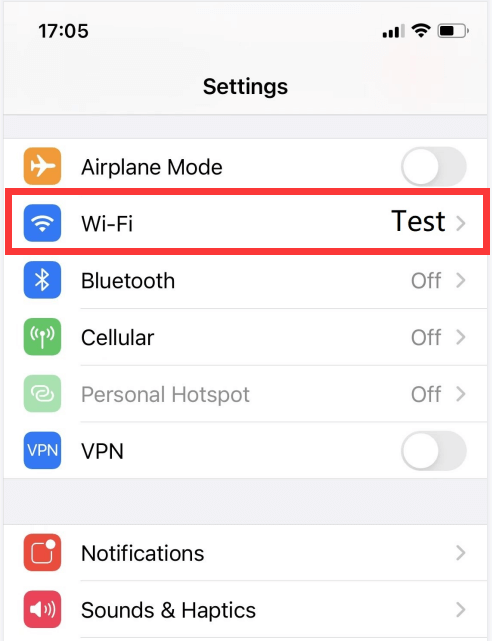
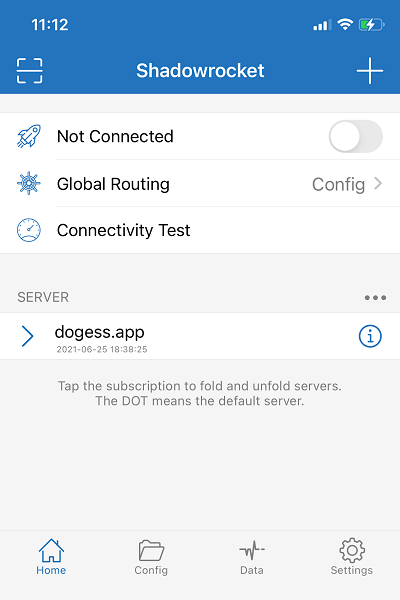
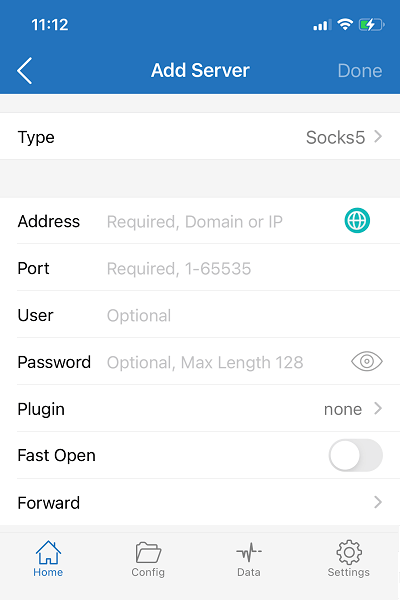
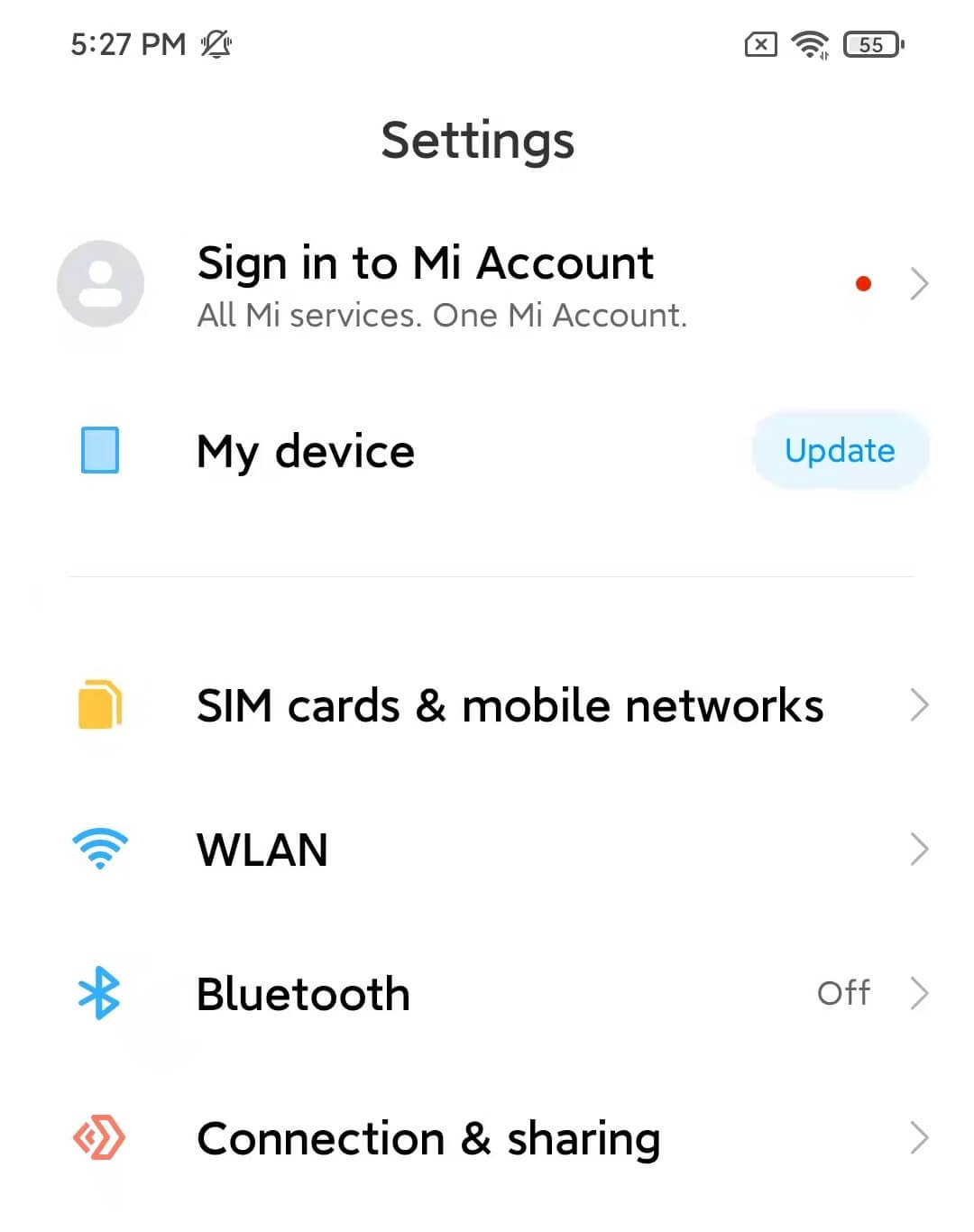
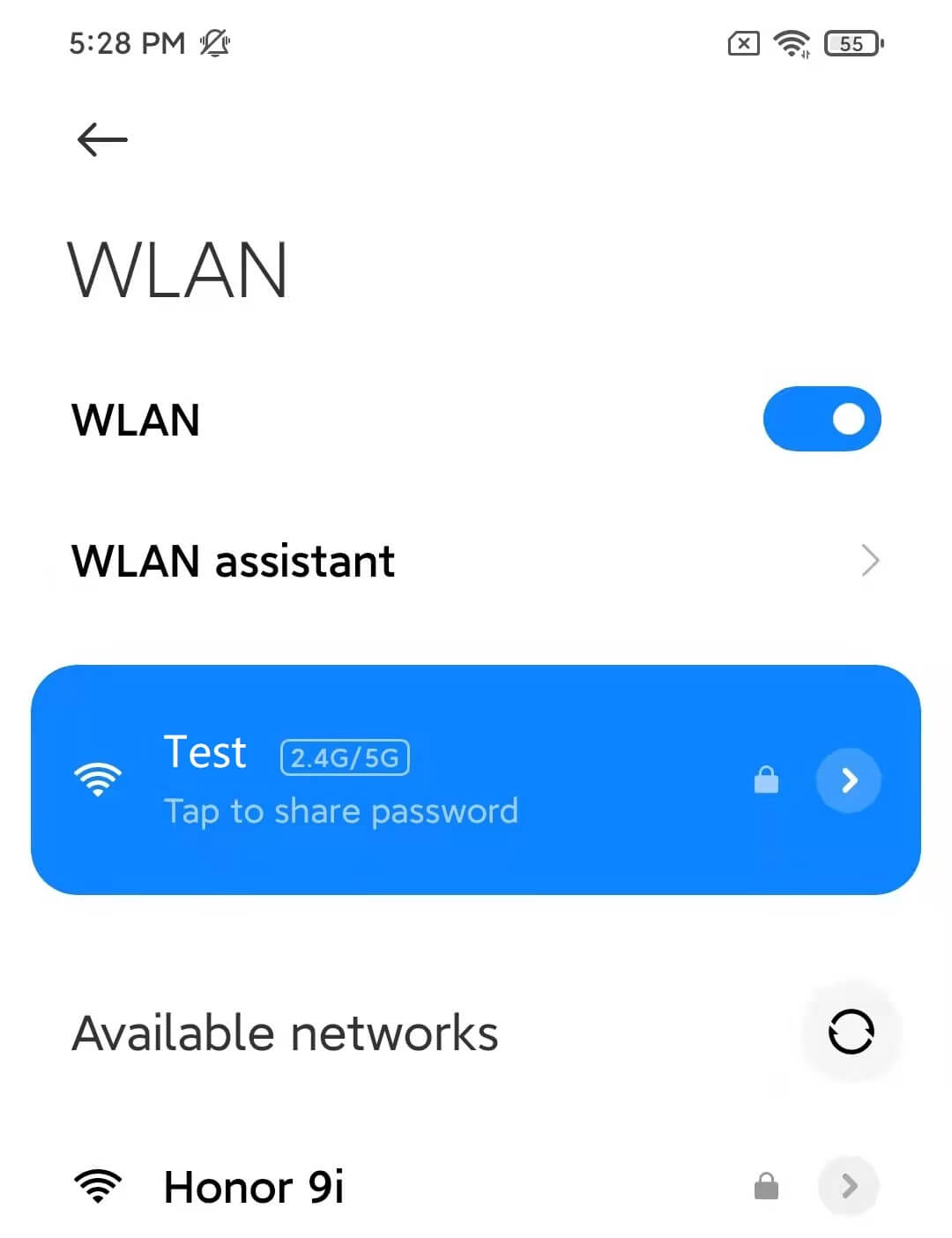
1. First obtain the proxy server address and port number of Http or Socks5 protocol through ‘IP Settings’, then open "Settings" and open ‘WI-FI’
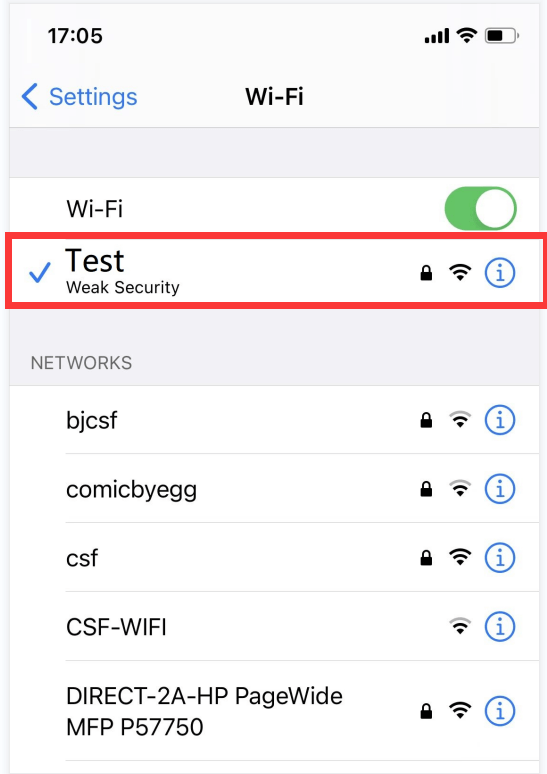
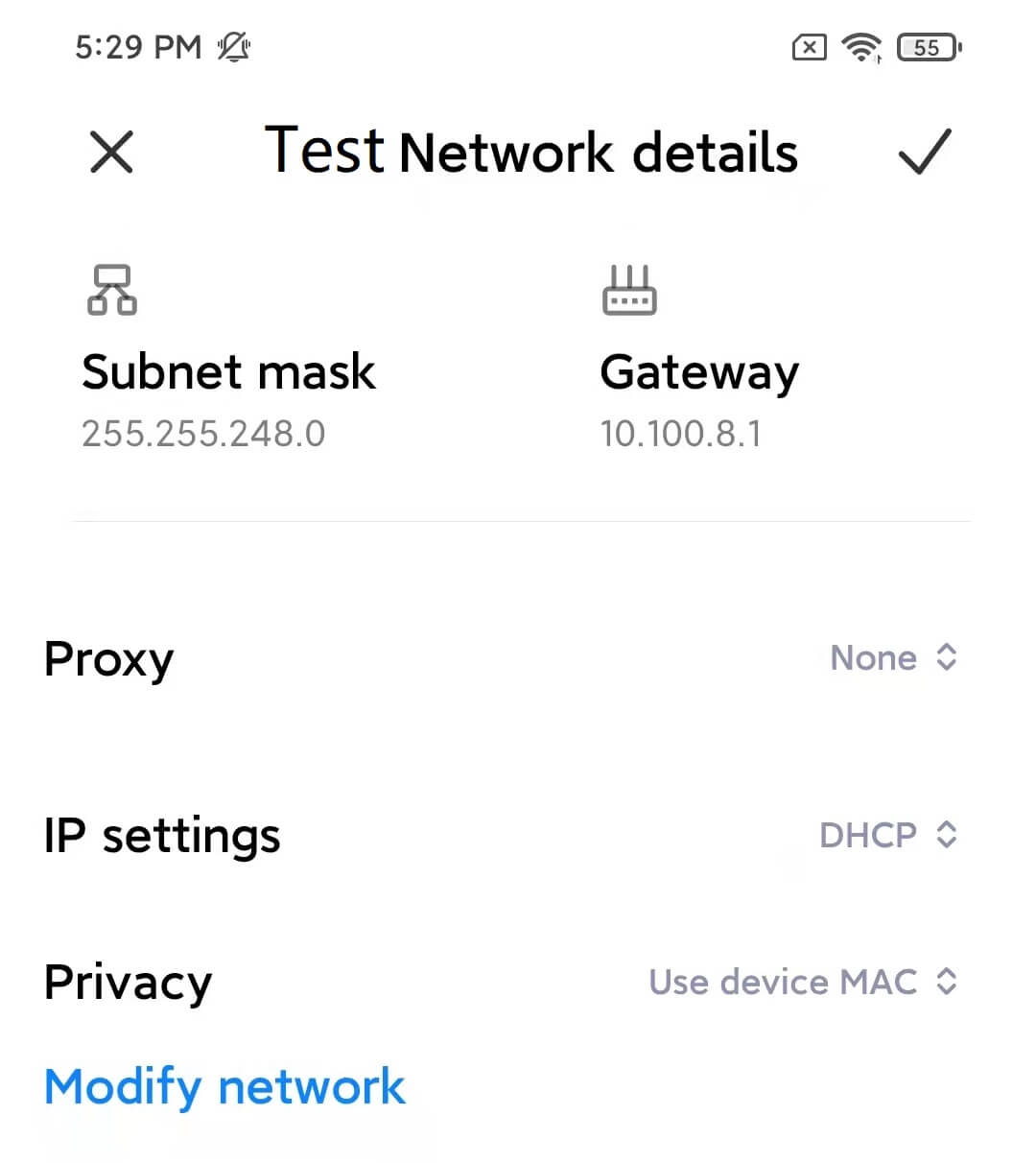
2. Connect to Wi-Fi and set the http proxy for this Wi-Fi.
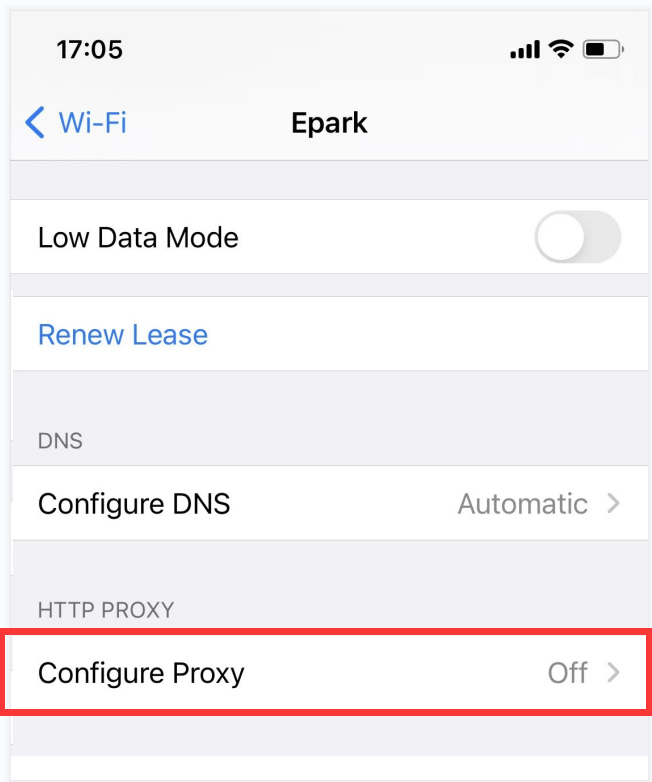
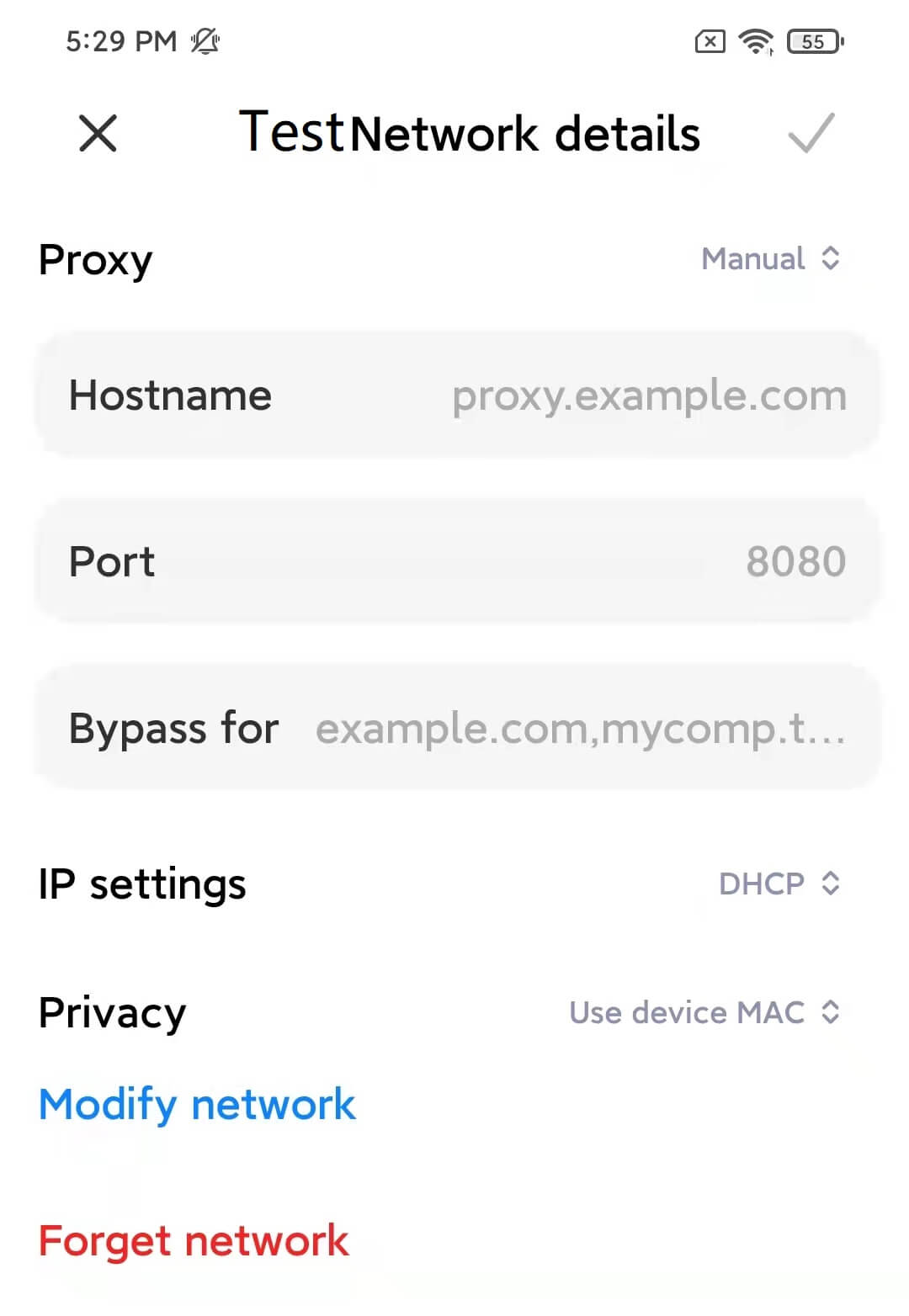
3. Select ‘http proxy’ - ‘configure proxy’.
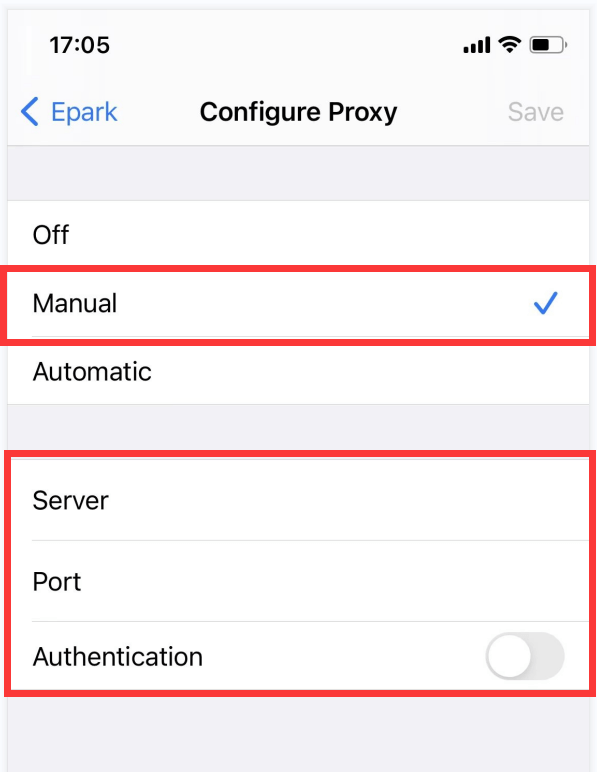
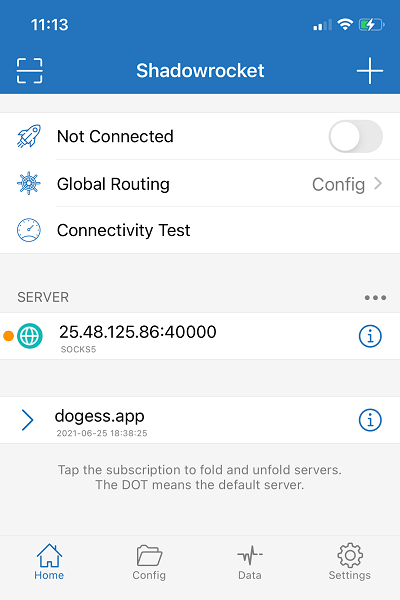
4. select ‘Manual’ on the ‘Configure Proxy’ page, fill in the obtained proxy server address and port, and click on ‘Save’ to stat using it. [Attention: Our service cannot be used in China mainland.]
Have you not used our IP proxy package yet?
Start using now